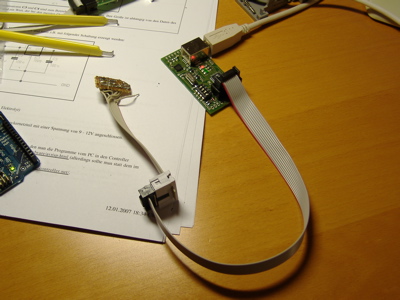
During the upgrade of my Arduino, I used the mySmartUSB programmer – initially on my Windows box, but since it’s USB and it mimics the AVR910 protocol, you can use it with avrdude on your Mac. Here’s how.
Note: This currently only works for PowerPC-based Macs. Silicon Laboratories is not able to get a Intel Mac driver out – see http://www.surveyor.com/cgi-bin/yabb2/YaBB.pl?num=1161916754/4
First of all, you need to install the USB driver for the chipset used in the programmer – it’s a CP2102 from Silicon Laboratories. You can download a driver from chip45. So go ahead and download it. Once it is installed, plug in the programmer. A file
/dev/cu.SLAB_USBtoUART
shows up – this is the USB-to-UART device that you can use with avrdude.I installed the latter using Macports, if you install it from another source, please make sure it is at least v5.3 – older versions do AFAIK not support the ATMega168.
By default, the avrdude.conf does not contain the right device code for the AVR910 protocol. Open /opt/local/etc/avrdude.conf and make sure the following line is in the ATMega168 definition:
avr910_devcode = 0x06;
When everything is set, you can use the command
avrdude -p m168 -P /dev/cu.SLAB_USBtoUART -c avr910 -t -u
to get to avrdude’s terminal mode – you can use e.g. ‘sig’ to print the signature of your ATMega chip.
You can buy the mySmartUSB programmer from myAVR – currently, it costs EUR 28,-.
Hi, on my setup (Mac Snow Leopard + mySmartUSB MK2) I always have to disconnect the programmer from the USB after running avrdude. If I try running avrdude two times in a row the serial connection times out. Looks like avrdude isn’t resetting the port correctly when it exits. Have you experienced similar issues?